 Banana Game
Development journal
Designing fruit that can roll, stack, and still feel like fruit
Three concrete choices behind the board: collision shapes, automatic merges and one portrait layout. These notes describe the implementation, not a claim that every device or pile is bug-free.
Mainu Studio ·
Why one circle was not enough
Round collision shapes are attractive in a stacking game because they roll predictably and are cheap to simulate. They also make every fruit feel similar. A circle around the banana would leave a large invisible area inside its curve, so other fruit would appear to float. A smaller circle would let fruit pass through the tips. Neither result matched the picture players were reading.
The banana therefore uses a collision profile that follows the bent body closely enough to create a real concave pocket. The same principle applies to grapes and other irregular silhouettes: the collision should explain the visible contact, but it should not trace every pixel. Excessively detailed outlines introduce tiny edges that can catch another body and create vibration.
This balance is visible during play. A blueberry can settle inside a banana's curve, while a larger fruit may roll over the outer edge. That interaction is part of the game's identity, so replacing it with a hidden circle would solve a technical problem by removing a gameplay decision.

One contact, one merge
When a valid merge is selected, its source fruit are marked as consumed before the replacement is added. The same fruit must not be counted again by a second contact. Score and shake rewards are attached to that merge, so an animation cannot award points twice.
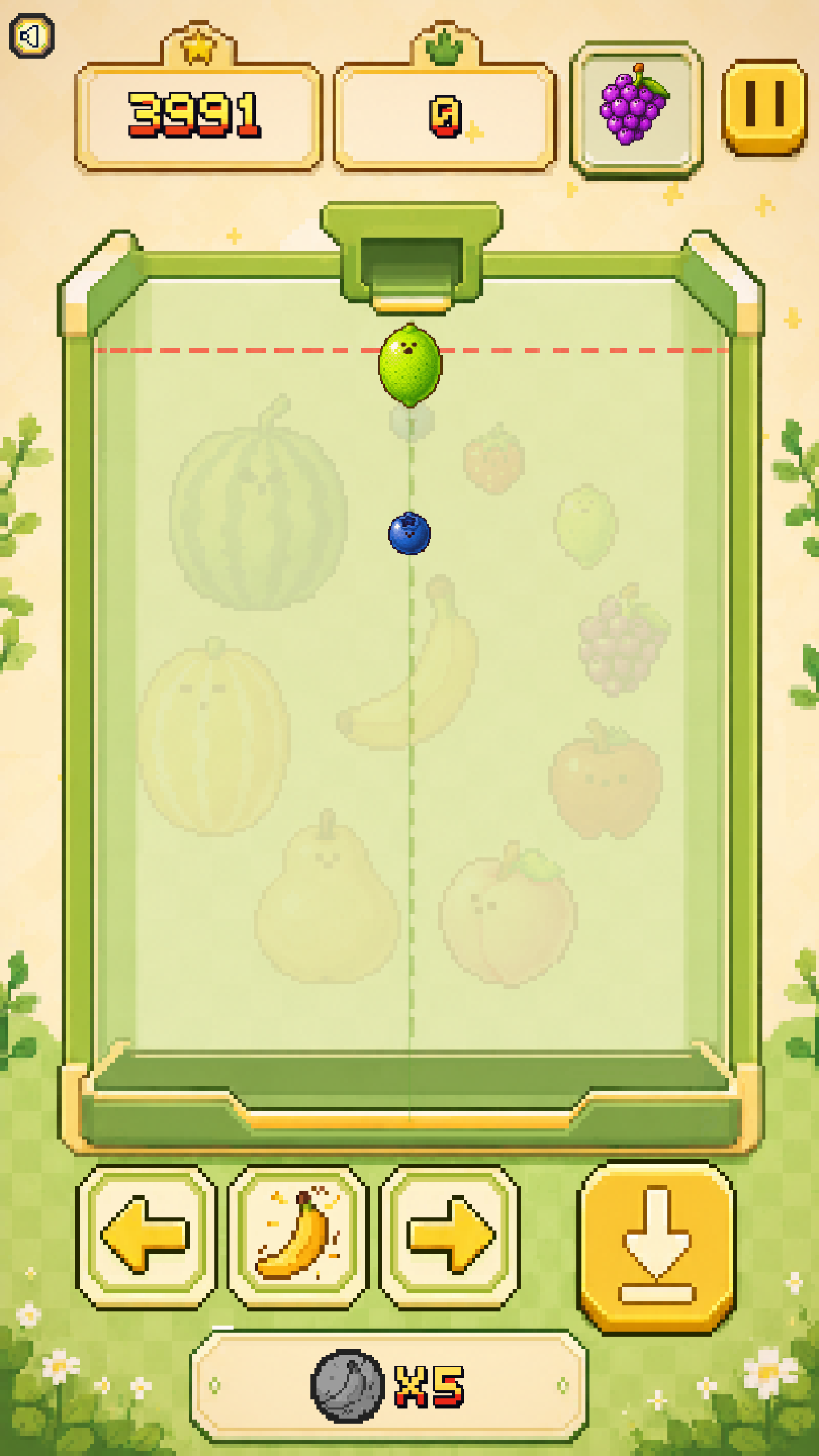
One portrait board, several rendering environments
The game is authored around a 720 by 1280 portrait reference. Web browsers, Android phones, and Windows displays all present different available rectangles, safe areas, scaling filters, and input methods. Letting each platform invent its own layout created bugs where a button looked correct on the web but moved or stretched on a phone.
The current approach keeps one reference composition and scales it uniformly. Extra space belongs outside the playfield; it does not stretch the board. Touch targets may be larger than the visible pixel-art button, but their centers stay tied to the same reference coordinates. Text and preview fruit use the same scale contract so they do not drift independently when the window changes.
Pixel art adds another constraint. Nearest filtering keeps edges crisp at integer scales, but most phone sizes are not exact multiples of 720 by 1280. The goal is therefore consistency first: the same relative size and position on every platform, with filtering chosen per asset type instead of changing the logical layout.